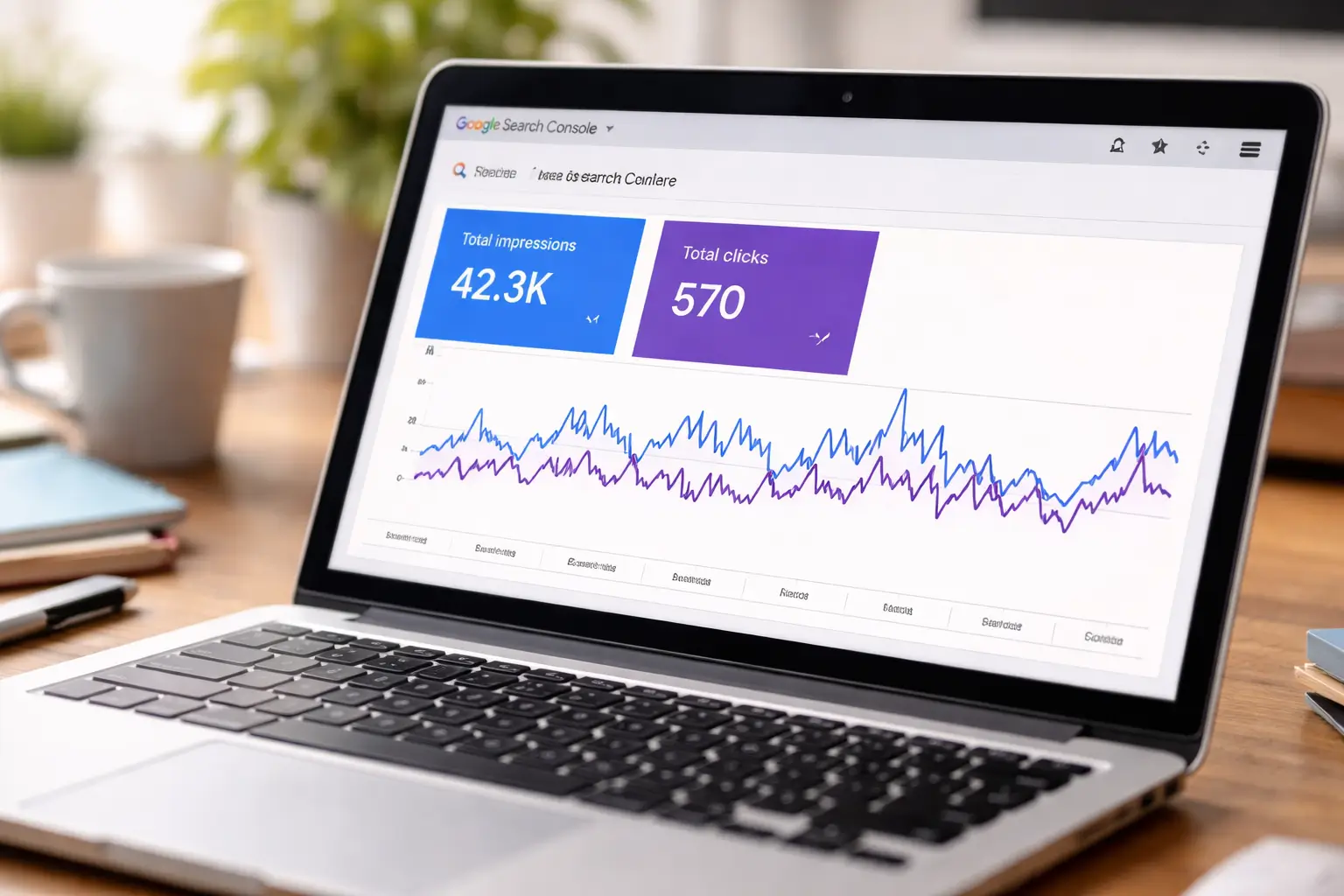
Website impressions but no clicks is a frustrating problem for website owners and SEO professionals. Your pages appear in Google search results, but visitors aren’t clicking through to your website.
The reason could be your SEO title, meta description, ranking position, search intent, or the way your page competes with other search results.
Instead of publishing more content immediately, start by understanding why your existing pages aren’t attracting clicks.
In this guide, you’ll learn how to use Google Search Console to identify the problem, improve your search snippets, align content with user intent, and find practical opportunities to increase organic traffic.
Why Your Website Gets Impressions but No Clicks
An impression means your website’s link appeared in Google Search results. A click happens when someone selects that link and visits your website.
Click-through rate, or CTR, measures the percentage of impressions that result in clicks.
The formula is:
CTR = (Total Clicks ÷ Total Impressions) × 100
For example, suppose your website receives 5,000 impressions and 50 clicks.
Your CTR would be:
(50 ÷ 5,000) × 100 = 1%
This means your website received one click for every 100 impressions.
However, a low CTR doesn’t automatically mean your SEO is failing. A page ranking near the top of Google may have a different CTR from a page appearing further down the results. The search query, device, competition, and type of search results also influence user behaviour.
That’s why you should examine impressions, clicks, CTR, and average position together rather than judging performance using one metric alone.
How to Fix Website Impressions but No Clicks
Improve Your SEO Title and Meta Description
Your title is often one of the first things people notice in Google search results. If it is vague, repetitive, or unrelated to the search query, users may choose another result.
Consider these examples.
Weak title: Digital Marketing Tips
Improved title: 10 Digital Marketing Tips to Improve Your Website Traffic
The improved title gives readers a clearer idea of what they’ll learn.
A good SEO title should:
- Describe the page accurately.
- Include the main topic naturally.
- Communicate a clear benefit when appropriate.
- Be specific enough to distinguish your page from competing results.
- Avoid unnecessary repetition and keyword stuffing.
You can also test different approaches to titles. For example, a practical guide might benefit from a checklist format, while a troubleshooting article might work better when it directly describes the problem.
Remember that Google may generate a different title link from the one you provide. It considers multiple sources, including the page title, main heading, and other prominent text.
The meta description helps summarise what a page offers. Google may use it to create the search snippet, although it can also generate a snippet from the page content.
A generic description gives users little reason to visit your website.
For example:
Weak description: Learn about SEO and digital marketing. Read our blog for more information.
Improved description: Getting Google impressions but no clicks? Discover nine practical ways to improve your SEO titles, search intent, rankings, and organic CTR.
The second description speaks directly to the reader’s problem and explains what the article covers.
When writing meta descriptions:
- Summarise the page’s actual content.
- Explain the value of reading it.
- Include relevant keywords naturally.
- Make each description unique.
- Avoid promising results the article cannot deliver.
A well-written description can help users make a more informed decision, but it does not guarantee that Google will display your exact wording.
Your Website Is Ranking Too Low in Search Results
Sometimes, the problem isn’t your title or description. Your page simply isn’t visible enough to attract clicks.
Imagine your website appears for a competitive keyword, but several competitors rank above it. Users may click the more prominent results first.
In this situation, changing the title alone may not solve the problem.
Instead, review whether your page deserves to rank more prominently for the query.
Check the following:
- Does the content fully answer the searcher’s question?
- Is the page more useful and comprehensive than competing results?
- Does it provide original examples, evidence, or practical guidance?
- Can search engines discover and index the page correctly?
- Are relevant pages on your own website linking to it?
Use Google Search Console to examine the average position for individual queries and pages. Remember that average position is an aggregate metric, not a fixed ranking for every search.
If your page is consistently appearing far down the results, prioritise improving its relevance and usefulness rather than expecting a title change to fix everything.
Your Page Targets the Wrong Search Intent
Search intent is the reason behind a user’s query.
Someone searching for “what is keyword research” probably wants an explanation. Someone searching for “best keyword research tools” likely wants to compare tools.
If your page doesn’t match that expectation, users may choose a different result.
For example, imagine you have published a promotional page for a digital marketing course, but it appears for an informational search such as “how to learn SEO for free.”
The page may receive impressions because Google considers it relevant enough to show. However, the user wants a free learning guide, not necessarily a course advertisement.
To improve search intent alignment:
- Open Google Search Console and identify the queries generating impressions.
- Search those queries manually to understand what types of pages appear.
- Identify the questions, formats, and information users expect.
- Compare those expectations with your existing content.
- Update the page if it can genuinely satisfy that intent.
Sometimes the solution is to improve the existing page. In other cases, a separate article targeting a different intent may be more appropriate.
You’re Targeting Keywords That Are Too Broad
Broad keywords can generate impressions without attracting meaningful traffic.
For example, a new website targeting “marketing” faces a much wider range of possible search intents than a website targeting “how to create a social media content calendar for a small business.”
Specific queries often make it easier to understand what the user needs.
Consider these examples:
| Broad keyword | More specific keyword |
|---|---|
| SEO | SEO checklist for small business websites |
| Digital marketing | Digital marketing portfolio for beginners |
| Google Ads | How to track Google Ads conversions |
| Social media | Instagram content calendar for small businesses |
This doesn’t mean every long-tail keyword is easy to rank for or guarantees a higher CTR. It means more specific queries can help you create content that closely matches a particular need.
Review the actual search queries in Search Console. If your page receives impressions for unrelated or overly broad searches, reconsider its focus and whether the content clearly communicates its purpose.
Your Competitors Have More Appealing Search Snippets
Imagine three articles appear for the same query.
One has a vague title, another promises a clear step-by-step tutorial, and the third offers a practical checklist.
Even if your page appears in the results, users may prefer a competing snippet that better communicates what they’ll get.
To investigate this, search your main keyword and compare the visible results.
Look at:
- How clearly each title explains the topic.
- Whether the snippet communicates a useful benefit.
- Whether the competing page offers a checklist, tutorial, comparison, or another relevant format.
- Whether your own page is missing information that users expect.
Don’t copy competing titles word for word. Instead, identify what they communicate effectively and make your own result more accurate, useful, and distinctive.
Also, don’t assume a competitor’s higher CTR is caused by its title alone. Ranking position, brand familiarity, search features, and other factors may contribute.
Your Content Is Outdated or Doesn’t Fully Answer the Query
Searchers want information that helps them solve their problem. An outdated article or a page that only partially answers the question may be less attractive than a more useful alternative.
For example, an article about SEO tools may still mention discontinued features or omit important changes to the tools it recommends.
A content refresh should improve the substance of the page, not simply change the publication date.
Review whether your article needs:
- Updated facts and examples.
- Clearer explanations.
- New screenshots or step-by-step instructions.
- Better coverage of the main search intent.
- Removal of irrelevant or repetitive sections.
- Links to useful supporting resources.
For educational websites such as LOCAS, practical demonstrations and examples can make an article much more useful than a generic explanation.
Google’s guidance recommends creating helpful, reliable, people-first content that provides meaningful value to readers.
Your Search Result Looks Different From What Users Expect
Search results can include ads, featured snippets, image results, video results, local listings, and other features.
These elements may affect where your organic listing appears and how users interact with it.
For example, a search for a local service may display a map and business listings before traditional organic results. A straightforward informational query may show an answer or other prominent search feature.
Your website might receive impressions without many clicks because users are interacting with other elements or finding enough information directly in the results.
What can you do?
- Examine the actual search results for your important queries.
- Check performance separately for mobile and desktop.
- Review whether your page provides additional value beyond what the search results already show.
- Use appropriate structured data where your page is eligible.
- Improve your content so visitors have a clear reason to explore the full resource.
Structured data can help search engines understand page content and may make eligible pages appear with enhanced search features. It does not guarantee a rich result or improved rankings.
You’re Looking at Website-Wide Data Instead of Individual Pages
One of the most common mistakes in SEO reporting is looking only at total impressions and clicks.
Your website may have hundreds of pages, each performing differently.
For example, one article might receive 10,000 impressions and attract few clicks, while another receives 500 impressions and generates a much stronger CTR.
If you only look at the website-wide average, you could miss the pages with the greatest opportunity for improvement.
Instead, analyse individual pages and queries.
Separate pages with substantial impressions but weak CTR from pages with low impressions because they rank poorly or target limited search demand. These problems require different solutions.
A useful starting point is Google Search Console’s Performance report, which lets you examine clicks, impressions, CTR, average position, queries, pages, countries, and devices.
Improve your SEO performance
If your website receives impressions but very few clicks, review whether your titles accurately describe the content and whether your pages match the intent behind the search queries. Use Google Search Console to compare impressions, clicks, CTR and average position before deciding what to change.
How to Find High-Impression, Low-CTR Pages in Google Search Console
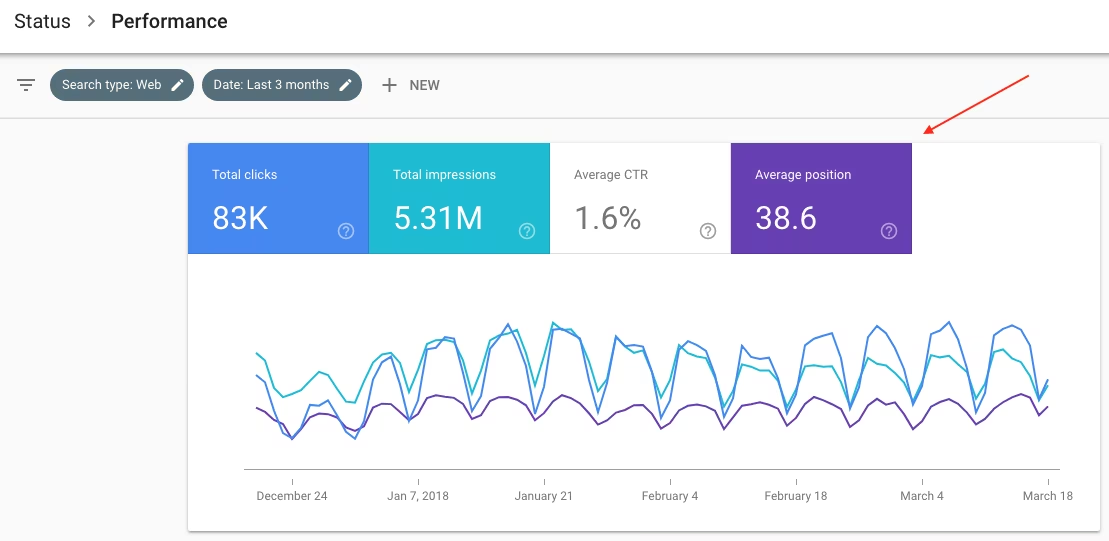
You don’t need an expensive SEO tool to begin investigating this problem. Google Search Console provides the basic data you need.
Follow these steps.
Step 1: Open Google Search Console
Visit Google Search Console and select the verified property for your website.
Step 2: Open the Search results Performance report
Go to the Performance section and open the Search results report.
Select a suitable date range, such as the last three months. If possible, compare it with the previous period to understand how performance has changed.
Step 3: Enable all four metrics
Select:
- Total clicks
- Total impressions
- Average CTR
- Average position
This allows you to review visibility, engagement, and ranking performance together.
Step 4: Open the Pages tab
Review individual URLs and identify pages that receive many impressions but relatively few clicks.
Avoid selecting pages based only on a universal CTR benchmark. Compare pages with similar search intent and ranking positions whenever possible.
Step 5: Open the Queries tab
Inspect the actual queries associated with a page.
Ask yourself:
- Are these the keywords the page was designed to target?
- Does the title answer the searcher’s question?
- Is the page appearing for relevant searches?
- Does the average position indicate that visibility is a major obstacle?
Step 6: Review the results and prioritise changes
Start with pages that have meaningful impressions, relevant queries, and a realistic opportunity to improve.
Update the page title, description, or content only when the data and search intent suggest a clear reason to do so.
After making changes, monitor performance over time. Search results fluctuate, and Google may need to recrawl and process updated content before changes become visible.
To know more also read this blog – How to Use Google Analytics to Track Website Traffic
How to Decide What to Fix First
Use the following framework to identify the likely issue.
| What you observe | What to investigate |
|---|---|
| High impressions, low CTR, strong position | Title, snippet, search intent, competing results |
| High impressions, low CTR, weak position | Content relevance, ranking opportunities, SERP layout |
| Impressions for irrelevant queries | Keyword targeting and page focus |
| CTR improving but clicks remain low | Search demand, impressions and ranking changes |
| Traffic declining over time | Ranking changes, seasonality, content freshness and technical issues |
These patterns are diagnostic clues, not definitive proof of a particular problem.
For example, a low CTR may be reasonable for a page ranking in a less visible position. Likewise, a strong CTR on a small number of impressions does not necessarily indicate that a page has significant traffic potential.
Always evaluate the page in the context of its target queries.
Final takeaway
The best way to address website impressions but no clicks is to identify the specific pages that need attention. Improve search intent alignment, create clear and useful titles, and monitor results over time rather than making changes based on CTR alone.
Frequently Asked Questions About SEO Impressions and Clicks
1. Why is my website getting impressions but no clicks?
Your website may be appearing for low-ranking or irrelevant queries, or its search title and snippet may not communicate enough value. Start by checking query relevance, average position, and CTR in Google Search Console.
2. What is a good CTR for SEO?
There is no single CTR that is ideal for every website. CTR varies according to search intent, ranking position, device, competition, and search-result features. Compare similar queries and pages over time instead of relying on one universal benchmark.
3. Does changing my SEO title improve CTR?
It can help when the existing title is vague, inaccurate, or poorly aligned with the search query. However, a title change doesn’t guarantee more clicks. Measure performance before and after the change while considering other factors that may have influenced results.
4. How long does it take to see results after updating a page?
There is no guaranteed timeframe. Google needs to recrawl and process changes, and search performance can fluctuate. Monitor the updated page over a suitable period rather than judging it immediately.
5. Can a website rank on Google and still receive no clicks?
Yes. A page may receive impressions at lower positions, appear for queries that don’t match its content closely, or compete with prominent search features. Ranking visibility alone doesn’t guarantee traffic.
6. Which tool should I use to identify pages with low CTR?
Google Search Console is a good starting point. Its Search results Performance report lets you analyse impressions, clicks, CTR, average position, queries, and individual pages.
Final Thoughts
Getting impressions without clicks doesn’t automatically mean your SEO strategy has failed. It means you need to investigate the relationship between your search visibility and the way people respond to your listings.
Start by finding the pages and queries with the clearest opportunities. Improve titles and descriptions where appropriate, align content with search intent, strengthen genuinely useful information, and review the search results before making changes.
Most importantly, don’t assume every low-CTR page needs a rewrite. Some pages need better rankings, some need more focused targeting, and others may already be performing reasonably well for their position.
The goal isn’t simply to appear in Google. It’s to appear for the right searches and give people a clear, honest reason to visit your website.
At LOCAS, we believe practical digital marketing skills begin with understanding the data, identifying the problem, and making informed decisions. Whether you’re learning SEO or improving an existing website, start with the evidence and optimise one opportunity at a time.
Want to build practical SEO and digital marketing skills? Explore the digital marketing training options at LOCAS and learn how to apply SEO concepts to real-world marketing challenges.