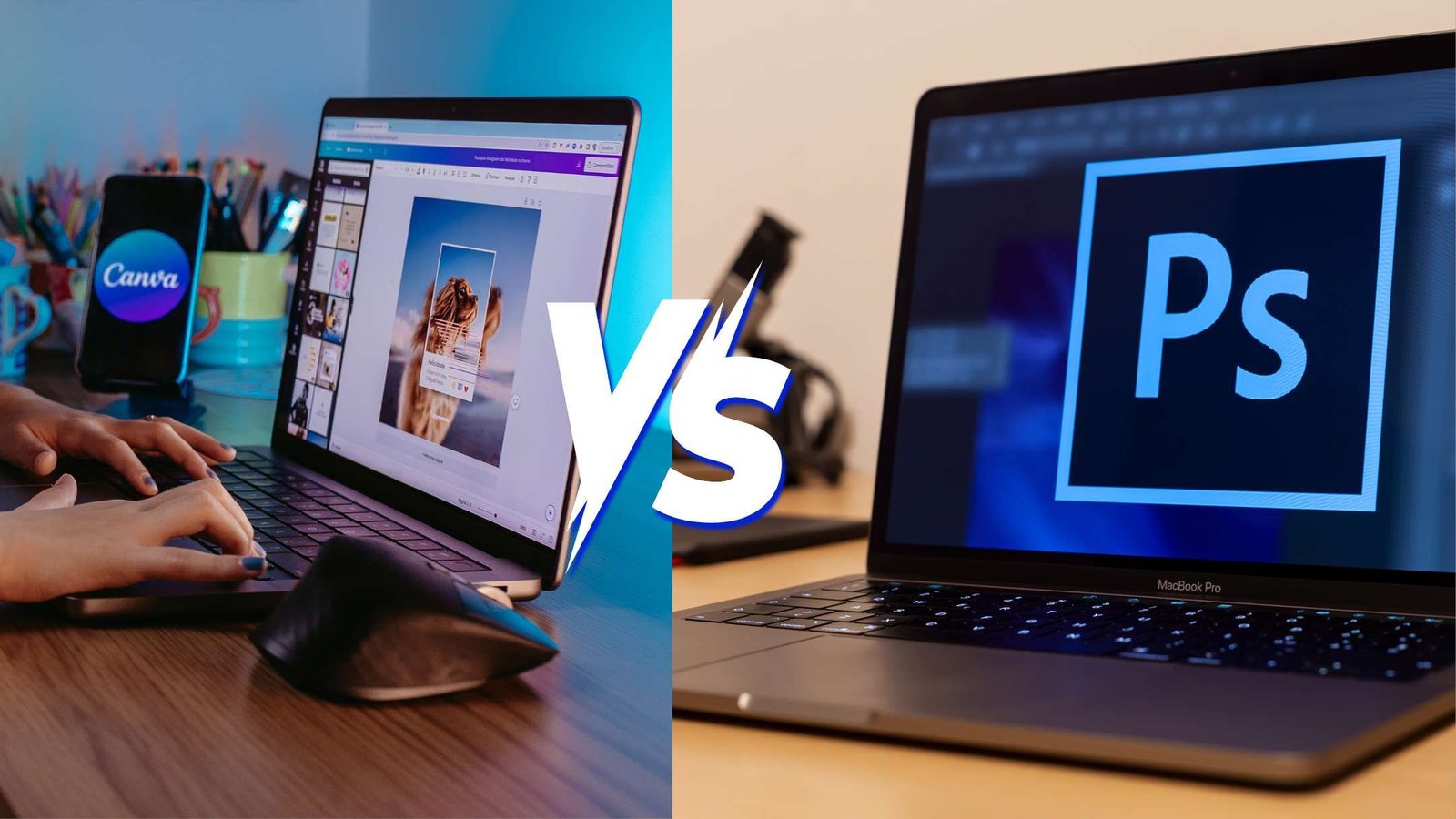
Canva vs Photoshop is one of the biggest questions beginners face when starting their graphic design journey. Both tools help create attractive designs. However, they offer different features, learning experiences, and creative possibilities.
Are you a student interested in graphic designing? Maybe you want to create Instagram posts, edit photographs, or start a freelance design career. Choosing the right software can make your learning process easier.
Canva is known for its beginner-friendly interface and ready-made templates. Meanwhile, Adobe Photoshop provides advanced tools for photo editing and detailed graphic design.
But which tool should you learn first? Is Canva enough for a graphic design career, or should you invest time in learning Photoshop?
In this Canva vs Photoshop comparison, we’ll explore their features, ease of use, pricing, career opportunities, and practical applications. By the end, you’ll know which tool matches your creative goals.
What Is Canva?
Canva is an online visual design platform that helps users create graphics, presentations, social media posts, and marketing materials.
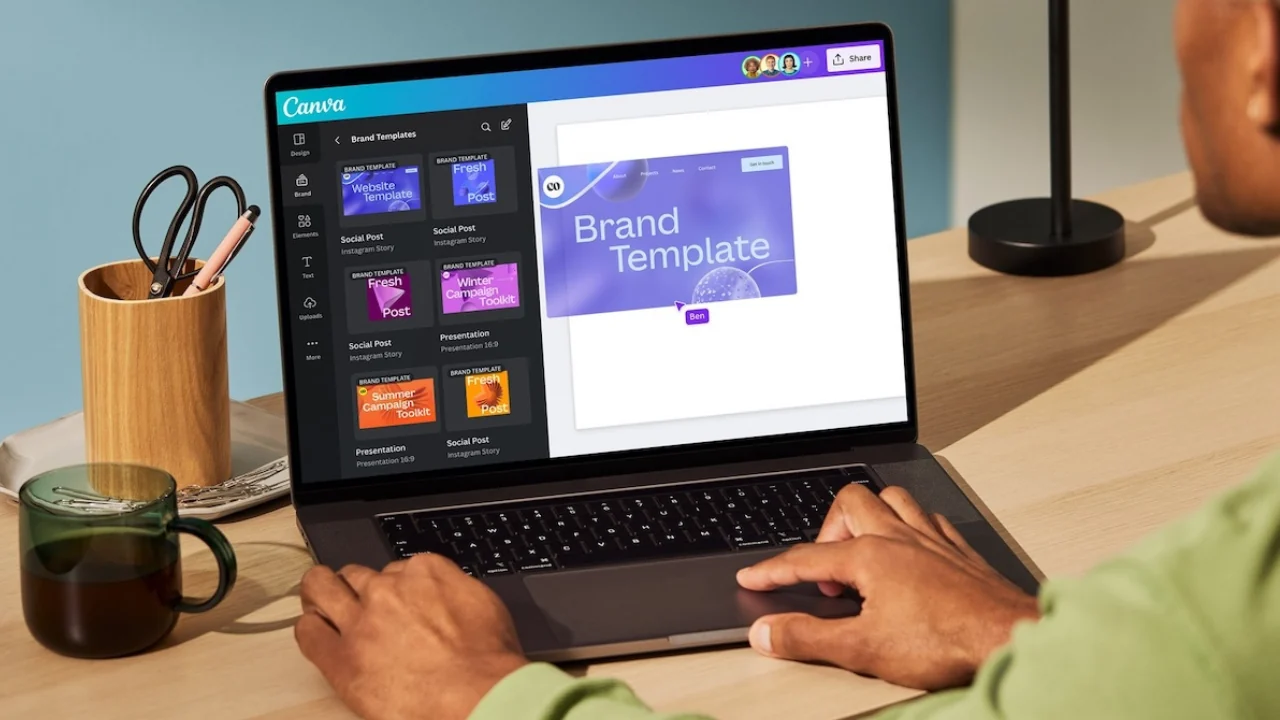
Its drag-and-drop interface makes designing simple for beginners. Additionally, Canva offers ready-made templates that users can customize without advanced technical knowledge.
For example, you can create an Instagram post by selecting a template, changing the text, and adding your brand colors.
As a result, Canva is popular among students, content creators, small business owners, and digital marketers.
Key Features of Canva
Canva offers several useful design features:
- Drag-and-drop design editor
- Ready-made social media templates
- Fonts, graphics, and illustrations
- Image editing and background removal tools
- Presentation and document design
- Video editing features
- AI-assisted design tools
- Brand management features
- Collaboration and sharing options
Some features are available in Canva’s free plan, while others require a paid subscription.
You can compare available options on the official Canva pricing page.
What Can Beginners Create Using Canva?
Beginners can use Canva to create:
- Instagram posts and stories
- YouTube thumbnails
- Business cards
- Posters and flyers
- Event invitations
- Social media advertisements
- Presentations
- Resumes
- Educational graphics
For instance, designing a business card is a useful first project. You can learn about typography, colors, alignment, and layout while creating something practical.
If you want to try this yourself, follow our detailed guide on how to design a business card in Canva.
What Is Adobe Photoshop?
Adobe Photoshop is an image editing and design application developed by Adobe.
It allows users to edit photographs, manipulate images, and create custom visual compositions.
Unlike Canva’s template-focused approach, Photoshop provides detailed editing controls. Therefore, designers can modify individual elements using layers, masks, selections, and adjustment tools.
Photoshop is widely used for photography, digital artwork, advertising graphics, and image editing.
Key Features of Adobe Photoshop
Photoshop provides tools for:
- Advanced photo editing
- Professional image retouching
- Layer-based graphic design
- Background removal and replacement
- Color correction
- Image manipulation
- Digital painting
- Layer masks and blending modes
- AI-assisted editing
- Custom visual compositions
These features offer greater control over complex projects.
However, beginners usually need more practice to understand Photoshop’s interface.
What Can Beginners Create Using Photoshop?
Photoshop can be used for:
- Product photography editing
- Social media advertisements
- Professional posters
- Photo manipulation
- Website banners
- Promotional graphics
- Digital artwork
- Custom marketing creatives
For example, you can combine several product photographs into one advertisement. Then, you can adjust lighting, shadows, colors, and backgrounds.
If you’re completely new to the software, Adobe’s official Photoshop beginner design tutorial explains essential concepts such as layers, masks, and combining images.
Canva vs Photoshop: Key Differences
Before choosing your first graphic design tool, compare how Canva and Photoshop perform across common design tasks.
| Feature | Canva | Adobe Photoshop |
|---|---|---|
| Ease of use | Beginner-friendly | Steeper learning curve |
| Main purpose | Quick visual design | Advanced image editing |
| Templates | Extensive built-in library | Supports editable templates |
| Photo editing | Basic to intermediate | Advanced |
| Layers and masks | Simpler design controls | Detailed editing controls |
| Social media design | Ideal for quick content | Ideal for custom compositions |
| Collaboration | Built-in cloud collaboration | Adobe sharing workflows |
| Free option | Free plan available | Full desktop app generally paid |
| Best suited for | Beginners and content creators | Photo editors and specialist designers |
Both applications can create professional-looking visuals.
However, Canva focuses on speed and simplicity. Photoshop focuses on editing flexibility and detailed creative control.
Canva vs Photoshop: Which Is Easier for Beginners?
Ease of use is an important factor when choosing graphic design software.
Fortunately, both tools offer learning resources. Still, their interfaces are quite different.
Why Canva Is Easier to Learn
Canva provides a simple design environment.
Most editing tasks involve dragging, dropping, resizing, and arranging elements.
Additionally, ready-made templates reduce the need to build every design from scratch.
For example, a beginner can create a promotional poster by selecting a template and replacing its content.
This makes Canva suitable for students who want to start designing quickly.
Why Photoshop Takes More Time to Learn
Photoshop includes a much larger collection of editing tools.
Beginners must understand concepts such as:
- Layers
- Selections
- Masks
- Adjustment layers
- Blend modes
- Image resolution
- Export settings
Initially, these features may seem complicated.
However, regular practice makes them easier to understand.
Moreover, learning Photoshop provides valuable skills for advanced editing projects.
Which Tool Wins for Ease of Use?
Canva is generally easier for complete beginners.
Its simple interface helps users focus on basic design principles.
Photoshop requires more practice. However, it offers greater control for complex image editing.
If you’re exploring other beginner-friendly applications, read our guide to the best graphic designing tools for beginners.
Canva vs Photoshop for Social Media Design
Social media content creation is one of the most common uses of graphic design software.
Businesses regularly need Instagram posts, promotional stories, advertisements, and campaign graphics.
Both Canva and Photoshop can handle these projects. However, each tool offers different advantages.
Why Canva Is Useful for Social Media Marketing
Canva is convenient for creating regular social media content.
For example, a digital marketer may need multiple posts every week.
Instead of designing everything from scratch, they can customize existing layouts.
Canva is especially useful for:
- Instagram carousel posts
- Festival greetings
- Educational graphics
- Promotional stories
- Business announcements
- Simple advertisement banners
Additionally, reusable templates help maintain consistent branding.
Why Photoshop Is Useful for Advanced Social Media Creatives
Photoshop becomes valuable when a design requires detailed image editing.
For instance, a restaurant may need a premium advertisement featuring food photography, customized backgrounds, and realistic lighting.
Photoshop provides tools to edit each element separately.
Therefore, it is useful for:
- Product advertisements
- Photo-based campaigns
- Complex compositions
- Advanced background editing
- Custom promotional graphics
Designers can also use editable templates to speed up repetitive tasks.
To understand this workflow, explore our Photoshop social media template guide. It explains how templates can simplify branding and social media content creation.
Which Tool Is Better for Social Media Design?
For quick and repetitive content, Canva is often more convenient.
However, Photoshop is better suited to complex photo editing and custom compositions.
Therefore, learning both applications can be beneficial for social media designers.
Canva vs Photoshop for Photo Editing
Photo editing is an important difference between these tools.
Although Canva includes image editing features, Photoshop provides more advanced controls.
Canva for Basic Photo Editing
Canva is useful for everyday image adjustments.
You can perform tasks such as:
- Cropping images
- Adjusting brightness
- Applying filters
- Adding text overlays
- Resizing photographs
- Removing backgrounds with supported features
These tools are helpful for social media content and simple promotional designs.
Photoshop for Professional Photo Editing
Photoshop provides greater control over individual image elements.
For example, photographers can adjust selected areas using masks and adjustment layers.
Its tools are useful for:
- Portrait retouching
- Product photo editing
- Color correction
- Object removal
- Image compositing
- Detailed background editing
Additionally, layers allow designers to keep different elements organized.
Which Tool Is Better for Photo Editing?
Photoshop is generally better for advanced photo editing.
However, Canva is suitable for basic image adjustments and everyday content creation.
Choose the application based on the complexity of your projects.
Canva vs Photoshop Pricing: Which Is More Affordable?
Budget is an important consideration for beginners.
Canva offers a free plan, while the full Photoshop desktop application generally requires a paid subscription.
Is Canva Free for Beginners?
Yes. Canva provides a free plan with access to its design editor, templates, and selected creative assets.
Users can create posters, presentations, social media graphics, and other designs without purchasing a subscription.
However, premium content and certain advanced tools require paid access.
You can review the latest features and subscription options through Canva’s official plans and pricing.
Is Adobe Photoshop Free?
Adobe provides trial options and different subscription plans for Photoshop.
The full desktop application is generally available through paid subscriptions.
Adobe also offers mobile and web experiences, although available features can differ by platform and plan.
For updated prices and trial details, visit the official Adobe Photoshop pricing page.
Which Tool Offers Better Value?
Canva may be more suitable for students with limited budgets.
Its free plan allows beginners to explore graphic design without paying for a subscription.
However, Photoshop may offer greater value to people who regularly perform advanced photo editing.
Before choosing, consider how frequently you’ll use the software and what projects you want to complete.
Canva vs Photoshop for Graphic Design Careers
Your career goals should influence your choice of design software.
Some creative roles focus on content production. Others require advanced image editing and visual composition.
Is Canva Useful for Social Media Managers?
Yes. Canva is useful for professionals who regularly create marketing content.
For example, social media managers may design:
- Promotional graphics
- Instagram posts
- Presentation slides
- Educational carousels
- Event announcements
Moreover, templates and collaboration features can support efficient team workflows.
However, understanding design principles remains important.
Is Photoshop Important for Graphic Designers?
Photoshop is valuable for designers working with photography and image-heavy compositions.
It provides detailed controls for creating custom graphics.
However, professional graphic design involves more than one software application.
Designers should also understand typography, color theory, composition, branding, and layout.
Learning these fundamentals can help you adapt to different design tools.
Which Tool Should Freelancers Learn?
Freelancers can use either application depending on their services.
For example, Canva is useful for creating presentations, simple promotional graphics, and editable social media templates.
Meanwhile, Photoshop is suitable for photo retouching, product image editing, and advanced advertising creatives.
Therefore, choose the tool that matches the services you want to offer.
If you’re interested in developing these skills through structured training, explore the graphic designing course in Ludhiana offered by LOCAS Institute.
Advantages and Disadvantages of Canva vs Photoshop
Every design application has strengths and limitations.
Understanding them can help you make an informed decision.
Advantages of Canva
- Easy to learn
- Beginner-friendly interface
- Free plan available
- Large template library
- Quick content creation
- Useful collaboration tools
- Suitable for everyday marketing designs
Disadvantages of Canva
- Some advanced features require payment
- Templates may create repetitive-looking designs
- Less detailed control over complex photo editing
- Advanced image manipulation may require other software
Advantages of Adobe Photoshop
- Advanced image editing
- Detailed layer and mask controls
- Professional photo retouching features
- Flexible image manipulation
- Custom composition capabilities
- Useful for specialist creative projects
Disadvantages of Adobe Photoshop
- Steeper learning curve
- More complex interface
- Paid desktop subscription
- May require more time for basic designs
- Complex projects may need stronger computer hardware
Canva vs Photoshop: Which Should You Learn First?
There is no single answer for every beginner.
The right choice depends on your interests, budget, and career goals.
Choose Canva First If You Want To:
- Create Instagram posts
- Learn basic graphic design
- Design presentations
- Make posters and flyers
- Create social media content
- Start with a free application
- Learn through simple projects
Canva is a practical starting point for learning typography, colors, spacing, and visual hierarchy.
Choose Photoshop First If You Want To:
- Become a photo editor
- Learn image retouching
- Create complex advertisements
- Work with detailed compositions
- Explore advanced image manipulation
- Develop specialist editing skills
Photoshop requires more practice. However, it may be the better first choice for students specifically interested in photo editing.
Our Recommendation for Beginners
Start with Canva if your main goal is to learn general design or social media content creation.
Once you understand basic design principles, begin exploring Photoshop.
However, if your primary interest is advanced photography editing, you can start directly with Photoshop.
Most importantly, focus on learning design fundamentals rather than memorizing software features.
How to Learn Canva and Photoshop Step by Step
A structured learning approach can make graphic designing easier.
Instead of attempting complex projects immediately, start with the basics.
Step 1: Understand Graphic Design Fundamentals
Begin by learning:
- Typography
- Color theory
- Alignment
- Contrast
- Spacing
- Visual hierarchy
- Composition
These skills are useful regardless of which software you choose.
Step 2: Practice Simple Canva Projects
Start with projects such as:
- Instagram post
- Business card
- Event poster
- Presentation slide
- Promotional banner
Try creating one design using a template. Then, create another from a blank canvas.
For additional practice, follow our beginner’s Canva business card tutorial.
Step 3: Learn Basic Photoshop Tools
Once you’re comfortable with design principles, start exploring Photoshop.
Focus on:
- Layers
- Selection tools
- Text tools
- Adjustment layers
- Masks
- Cropping
- Export settings
Adobe’s free Photoshop design lessons can help you understand these concepts through practical demonstrations.
Step 4: Work on Real Design Projects
Practical experience helps you apply what you’ve learned.
For example, try creating:
- A restaurant promotion
- A product advertisement
- A social media campaign
- A promotional poster
- A business presentation
Additionally, compare how the same project can be completed using Canva and Photoshop.
Step 5: Build Your Graphic Design Portfolio
A portfolio showcases your creative work and practical abilities.
Include projects such as:
- Social media graphics
- Posters
- Advertising banners
- Photo editing samples
- Product promotions
- Custom visual compositions
Whenever possible, explain the goal behind each design.
This helps demonstrate your creative thinking and problem-solving skills.
Learn Graphic Designing at LOCAS Institute, Ludhiana
Learning software is useful. However, building practical design skills is equally important.
At LOCAS Institute, students can explore graphic design fundamentals and tools through structured training.
The institute’s graphic designing course covers important concepts such as typography, color theory, layout, and composition.
In addition, the course page outlines its learning modules and available training support.
Whether you’re a student, content creator, or aspiring freelancer, developing practical skills can help you prepare for different creative projects.
To learn more about the course structure and training options, explore the Graphic Designing Course at LOCAS Institute.
Frequently Asked Questions About Canva vs Photoshop
1. Canva vs Photoshop: Which Is Better for Beginners?
Canva is generally easier for beginners because it offers a simple interface and templates. However, Photoshop is more suitable for people interested in advanced image editing.
2. Is Canva Easier Than Photoshop?
Yes. Canva usually has a shorter learning curve for basic design tasks. Meanwhile, Photoshop requires more practice because of its advanced editing controls.
3. Can Canva Replace Photoshop?
Canva can handle many everyday design tasks. However, it does not fully replace Photoshop’s advanced image manipulation capabilities.
4. Is Photoshop Better Than Canva for Graphic Design?
Photoshop offers more detailed image editing controls. However, Canva is often more convenient for quick, template-based designs.
5. Should Students Learn Canva or Photoshop First?
Students interested in social media design can start with Canva. On the other hand, students focused on advanced photo editing may prefer Photoshop.
6. Is Canva Good for Freelancing?
Yes. Canva can be used to create social media graphics, presentations, flyers, and other marketing materials. However, freelance opportunities depend on client needs and design skills.
7. Is Photoshop Necessary for Social Media Marketing?
Not always. Canva can handle many routine social media design tasks. However, Photoshop is useful for complex graphics and advanced photo editing.
8. Can I Learn Canva and Photoshop Together?
Yes. However, beginners may find it easier to learn one workflow at a time. Understanding design fundamentals first can make both tools easier to use.
9. Is Canva Free to Use?
Yes. Canva offers a free plan with templates and basic design features. However, premium tools and assets may require payment.
10. Which Tool Is Better for a Graphic Design Career?
Both tools are useful for different purposes. Canva supports quick content creation, while Photoshop provides advanced editing capabilities. A broader design career also requires creativity, design fundamentals, and practical experience.
Conclusion: Canva vs Photoshop — Which Tool Should You Choose?
The Canva vs Photoshop comparison ultimately depends on your design goals.
If you’re a complete beginner interested in social media graphics, presentations, or everyday marketing content, Canva is a practical starting point.
However, if you want to specialize in photo retouching, image manipulation, or custom creative compositions, Photoshop offers more advanced controls.
For many students, learning Canva first and Photoshop later is a sensible approach.
Nevertheless, becoming a skilled designer involves more than mastering software. You also need strong creative thinking, visual communication skills, and regular practice.
Start with the tool that matches your immediate needs. Then, continue developing your abilities through practical projects.
Ready to begin your creative journey? Explore the Graphic Designing Course in Ludhiana at LOCAS Institute and discover a structured path to learning graphic design.